Monday, February 11, 2008

The SunCell™ Solar Powered Charger

A good friend of mine who knows the founder of EcoPowered Solutions here in Colorado recently lent me a SunCell Solar Charger recently to try out, and I am very impressed both with the product as well as the company. In fact, I will have a hard time giving it back--I may just have to buy one of my own!

The SunCell Solar Charger

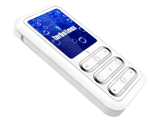
The SunCell is, at its core, a rechargeable battery that can be used to recharge any number of devices, including virtually any USB device (like cell phones, iPods/MP3 playe
rs, digital cameras, etc), plus a number of other devices with proprietary connectors (like Motorola and Nokia phones, for example). The battery holds enough juice to fully recharge a typical mobile phone three times. Unfortunately, it can't recharge laptops, as they generally require much higher voltages to recharge, and some (like Dell) also have proprietary charging mechanisms. The device comes with a selection of 16 "power tips" that can accommodate a wide variety of gadgets. The device is small and lightweight: 5.5 inches x 4 inches x 1.4 inches and 0.5 pounds in weight, and it's available in a number of colors.

The product's "Inspector Gadget" feature is that it can be recharged using a number of methods, the coolest of which is two solar panels that are included with the unit (it opens using a 'clamshell design' to expose the panels. The SunCell can also be recharged using an external USB port (e.g. from a computer or a USB wall charger). It works as advertised--the internal battery fully recharges in 3-5 hours from an electrical outlet or a laptop and will recharge using solar energy (strong sunlight--outside is best) in 8-12 hours, depending on how depleted the battery cell is. The SunCell's battery capacity is 3600 maH (about what a laptop battery holds) and the solar panels can output a peak of 1.5 watts. The device has selectable output voltages that are sure to accommodate virtually any device, including 4.8v, 5.8v, 8.4v and 9v.

The SunCell retails for $125 US, including a full selection of power tips, and you can purchase the units directly from the EcoPowered website.

In addition to being very impressed with EcoPowered Solutions' product, I am equally impressed with their mission. As one might guess, they are very much into promoting renewable energy, which is admirable in itself, but they also have a higher calling--providing their technology, free of charge, to organizations that utilize it to save lives and increase the quality of life in the areas they serve. Currently, donations to their program go directly to providing SunCells to Partners in Health, which is an international health services organization.
SunCells are currently being used by Partners in Health in many of the countries it has operations in such as Haiti and Malawi. They are used by the communities they work in to power cell phones in remote areas and they can be used as lighting systems for people that have no electricity. If you're interested in donating to this program, click this link.

This is a point to ponder. In addition to assisting organizations like Partners in Health, this device could very well save your own life one day. 15 years ago, I was an Emergency Medical Technician and volunteer fire fighter in a ski resort in the Colorado mountains. I also served on the local search-and-rescue, helping to locate and rescue people that had become lost in the wilderness.

There weren't as many radios and mobile phones then as now, but every time that I hear about people that get lost in the outdoors because 1) they relied on a GPS that lost power, or 2) their radio/mobile phone battery died and they weren't able to call for help, or 3) their camera ran out of juice and they couldn't save themselves by signaling to passing aircraft using the flash (you think that's funny? It works!), I think about this device. If you were to become lost or stranded, you could use the SunCell to recharge those devices that could potentially save your life, over and over. Pretty cool. It also has a built-in LED flashlight that will run non-stop for up to six days on a charge, which can also be used as a signal light. I think it makes a lot of sense to purchase a couple of these units to place in backpacks and car trunks--just in case--it could save your life some day.

Monday, February 04, 2008


The SPOT Personal Locator Beacon (PLB)

I recently attended the Denver Sportmen's Exposition, and tucked in between all of the fishing/hunting lodges, wonder glass cleaners, and knife sharpeners was a booth for the SPOT Personal Locator Beacon, also known as a PLB.

PLBs are small Blackberry-sized devices that allow you to either notify the authorities that you need help (also known as "911" mode, named after the U.S. emergency phone number), or to "check in" to let your loved ones know where you are and that you're OK. These are NOT satellite phones--you can can't use them to communicate via voice--but they are capable of transmitting your GPS fix to orbiting satellites from many places on the earth. The "check in" service allows your friends and loved ones to access a Google map that shows all of the places that you checked in, along with the date/time. The device weighs 8 ounces and will run 14 days in "SPOTcast" mode (using the check-in feature) and 7 days in 911 "emergency tracking" mode. It also has replaceable AA batteries, in case the original batteries fail.

I've seen PLBs for a number of years, but they were always really expensive (like $500+). What struck me about the SPOT is the price: $149, plus a $99 annual fee for the service. The coverage is also pretty good: virtually everywhere in the U.S., Canada and Europe, plus portions of South America, Australia, Asia and Northern Africa--click here for a complete coverage map.

This could be an invaluable, potentially life-saving device for outdoors types, especially since it works in areas where mobile phones do not. It also gives the outdoors types' loved ones peace of mind. Either of these advantages would be easily worth the $150 price tag!

Thursday, November 29, 2007

My Journey of Discovery through HDTV Land

I recently began investigating high-definition TVs (HDTVs), as our venerable (read: 9 year-old) 53" Sony projection TV is just about to kick the bucket. Some of you may be surprised to hear that I haven't made the leap to HD by now, but the combination of high cost and lack of HD content has kept my gadget geek side at bay until now.

This blog entry is intended to help me understand (and remember) some of the lingo, technology and jargon that swirls around the world of HD--and hopefully it will be of use to you as well. I'm going to separate this into four sections: 1) HD Standards, 2) HD TVs, 3) Broadcast HD Sources, and 4) HD DVDs/Players. In order to increase readability and allow me to separate this into manageable chunks, I'll split it into two pieces: #1 and #2 will be in this post, and #3 and #4 will be published in a subsequent post.

I welcome your comments/corrections on any of this--since I'm an HD newbie, I'm bound to make mistakes. This information is my own interpretation of information that I've culled from a variety of sources: Internet, Big-Box sales personnel, friends, etc., and not all of it may be accurate.

1. HD Standards

One of the most confusing aspects of HD are the variety of video standards floating around: 720p, 1080i, and 1080p and the three most prevalent standards, and a good understanding of what these numbers mean is critical to purchasing the right set for your needs (and budget!).

In order to understand what these standards mean, it's first necessary to understand how TV resolutions are described. The number portion of the standard indicates the number of vertical lines (also known as "resolution) that comprise the video picture--720 or 1080 lines. The general rule-of-thumb is that the higher this number, the better, as the more lines of resolution there are, the closer together they are, and the finer the picture. This is especially critical as the size of the TV gets larger--especially over 46 inches or so.

By comparison, regular US TV broadcast standards (known as NTSC) have only 486 lines of resolution (sometimes referred to as '480i'), so 720p sets represent a ~148% sharper picture than conventional TVs, and 1080i/p TVs are ~222% sharper (note that these figures only consider the vertical resolution). Specifically, 720p has a resolution of 1280x720 pixels (horizonal x vertical), and 1080i/p resolution is 1920x1080. European broadcasts use the PAL standard, which has 576 lines of resolution (also referred to as 576i).

Next, let's examine the little letter after the vertical resolution number: i and p. 'i' stands for 'interlaced', and 'p' stands for 'progressive'. Interlaced, which dates back to the original NTSC and PAL standards, means that the vertical lines on the screen are painted either even or odd first, followed by the opposite--in other words, only 1/2 of the screen is painted per pass, or refresh. Progressive indicates that the TV screen is painted one line at a time, and the entire screen is painted per refresh. Progressive monitors are considered superior as they have less 'flicker' (which is a side effect of interlacing).

Based on all of this, it is safe to assume that 720p is clearly better than 480i/476i, 1080i is better than 720p, and 1080p is the best of all. Interestingly, 720p is actually much closer to 1080i than you might think--progressive scanning makes up for a lot of the flicker that comes with interlaced signals.

Unfortunately, the ability to take advantage of the various HD resolutions is a factor of the HD source's ability to actually provide that much resolution (more on that later).

2. HD TVs

There are a bewildering number of HD TV technologies on the market today. In order to prevent writing the great American novel, I'll condense them down into two main categories: flat panel and projection TVs.

Flat Panel TVs

Flat Panel TVs have several key advantages. First, they are very thin and light-generally only a few inches deep and under 100 pounds in weight, which allows them to be mounted on walls. Tube-based TVs can weigh several hundred pounds and be 18 inches deep, in comparison. Flat Panels also use less electricity and put out less heat than comparable tube TVs.

There are two main types of flat panel TVs: LCD and Plasma. Both technologies have advantages and disadvantages. Plasma TVs, which operate on the principle of exciting luminescent gas, are generally less expensive than comparably-sized LCD sets. Plasma sets feature good color and black rendition and work well for signals with a lot of movement (like sports). The main drawback of plasma sets are that they are prone to "burn in" (if the set is left with the same image displayed for too long, the image may be permanently "ghosted" on the screen), and plasma sets are also reported to have lower life spans when installed at high altitudes (generally over 6,000 feet). There are a new crop of plasma TVs that are rated to work up to 9,000 feet; if you live at one of these altitudes, it would be best to make sure you buy a high-altitude rated plasma or an LCD panel. Also note that the noble gases used with plasma sets gradually fade over time, and plasma sets also require a "backlight" that must be replaced over time.

LCD panels rely upon millions of discrete LCDs to comprise the video picture--virtually the same technology that computer flat screens use, only much larger. Advantages of LCDs include long life, low power consumption, no burn-in problems, and high-altitude compatibility. Disadvantages include less vibrant color than plasma and the tendency for high-speed images to leave a trail (the reaction time of LCDs are typically much slower than plasma). A new crop of "120 Hz" LCD TVs is reported to help solve many of the speed problems, but at a premium. LCD TVs are also generally more expensive than comparable plasma sets, although the gap is narrowing. LCDs also require "backlights", which need to be replaced over time (generally every 9,000 to 12,000 hours).

Rear Projection TVs


There are a mind-numbing number of different rear projection HD TVs. Projection TVs are generally much less expensive than flat panel TVs, and they are also deeper (only some projection TVs are thin enough to be wall mounted). Many projection TVs also have a much narrower range of viewing angles than flat panels (in other words, they become dim as one moves to the extreme left or right side of the TV).


The best known HD projection technology, Digital Light Processing (DLP) relies on millions of microscopically tiny mirrors that are laid out on a semiconductor chip. Light is reflected from the mirrors on to the screen, and each mirror corresponds to a pixel on the screen. Advantages of DLP include low cost, good color and movement rendering, no possibility of burn-in, and an easily replaceable light source. Disadvantages include poor viewing angle, possible eye strain (reported by some users), fan noise (in some units), and much thicker cabinets than flat panels.

Other HD projection technologies on the market include LCoS (Liquid Crystal on Silicon) and LCD projection. I have not done much research on the non-DLP projection sets to date, although DLP repoertedly has the thinnest cabinets of the three projection technologies.


Coming Soon

As mentioned at the top of this entry, I will be publishing the second half of this posting shortly, which will cover various live HD content sources as well as the options for DVD sources.


Thursday, November 01, 2007

Unboxing - What Inside High-Tech Gadget Packaging

This is a really interesting idea--a website (a sub-site of Gearlive, actually) dedicated to unboxing all sorts of high tech gadgets, including the newest game consoles, PCs and laptops, phones, mp3 players, and cameras.

Not only does the site give you an idea as to how easy it is to unbox and install a particular gadget (look at the Apple products, for example--they set the standard for ease of installation), it also gives you a peek inside the latest technology--like the XBox Halo3 game console.

A very cool idea--everyone in technology should take a look at this site for ideas on how to (and how NOT to) package their products.

Tuesday, October 02, 2007

The Starbucks iTunes WiFi music store reviewed | Gear Live

Starbucks iTunes WiFi Music Store - Brilliant!

Starbucks has partnered with Apple to create their own branded iTunes store. This is in itself a good idea, as it allows Starbucks patrons to purchase music they may have heard playing in the Starbucks stores. Starbucks and T-Mobile took this concept one step further--if you happen to be in a Starbucks store with your laptop, iPhone or the new iPod Touch device, and you like the music you hear playing, you can connect to the iTunes store using T-Mobile's WiFi hotspot, free-of-charge, to purchase and download music on the spot. The Starbucks iTunes store also displays the last 10 songs that were playing in that particular store, making it much easier to buy that track that you really liked when you heard it playing. (Note that the free WiFi access only allows customers to browse and download music--not the general Internet service).

This is not only marketing genius, but when you consider the technical infrastructure that would be required i order to make this happen, it's down-right impressive. Consider that they had to integrate the music playing over the Starbucks channel on XM with the Apple iTunes Store systems, along with the T-Mobile hotspot billing systems. I'd be really interesting in discovering more about how they pulled that off from a technical perspective.

The link below points to a really good review of the Starbucks iTunes Store by GearLive, including screen shots taken from inside a Seattle Starbucks store.

The Starbucks iTunes WiFi music store reviewed | Gear Live

Thursday, March 01, 2007


Wizpy--Cool new Flash Drive/Linux Appliance/MP3 Player

Turbolinux has announced the Wizpy, a flash-based USB device that allows any PC that can boot a USB device to boot the Wizpy. Wizpy includes a fully-featured Web browser, mail client, and Open Office, which allows you to access the internet and create documents without accessing any data on the host PC--everything stays on the Wizpy. The Wizpy also doubles as an MP3 player.

Unfortunately, for now the Wizpy is available only in Japan, although a global release is planned for later in 2007. Pricing looks to be in the $250 range.


Turbolinux | products | hardware

Wednesday, February 07, 2007

NewerTech® USB 2.0 Universal Drive Adapter

NewerTech Universal USB 2.0 Drive Adapter

This is a great idea--for $24.95, NewerTech will sell you a universal USB 2.0-to-drive adapter that will allow you to plug virtually any 2.5", 3.5", or 5.25" IDE or SATA device into your desktop or laptop PC, and the adapter also provides power to the device.

"Now why would I want to do that?", you may be asking yourself. The answer is simple--if you buy another PC or upgrade the hard drive in an existing PC (especially laptops), it's really handy to be able to plug in your old drive to a USB port in order to transfer the data to another drive. You can also use this gadget to plug internal CD and DVD drives into your PC using USB (eliminating the need to install them permanently, or in the case of a laptop, allowing you to plug in devices you normally couldn't use).

For $25, it's a heckuva good investment!

NewerTech® USB 2.0 Universal Drive Adapter

Tuesday, December 12, 2006

Control Christmas Lights in Malta from the Internet

This is hilarious--a guy has designed a custom Web interface that allows you to click the windows of his house and turn his lights on and off over the Internet. While the solution seems a bit over-designed, it's still pretty cool! Each person that wants to control his lights goes into a queue (I had to wait about a minute), and then they get 30 seconds to control the lights before the next person's turn.

http://www.christmas2006.lauriedenness.net/index.php

Wednesday, December 06, 2006


Quite Possibly the Ultimate Gadget--not!


Still, this is an interesting idea--combine a cup warmer with a 4 port USB hub, all for only $25. You can order one at http://www.boysstuff.co.uk/product.asp?id=13178&src=Home . My only question is this: what happens when you spill your hot coffee or tea on the hub? Hmm.....


Sunday, November 12, 2006

Moving iTunes Libraries from one place to another

Being a self-proclaimed geek and iPod aficionado, I am constantly fighting the battle of hard drive space on my laptop. My machine has an 80GB hard drive, which I always thought was a lot, until I started loading iTunes music up on it--and at 30GB, my iTunes library is eating up about half of my hard drive space!

I do have an external 160GB drive, and the thought occurred to me the other day that it would be great to be able to move my iTunes music from my primary laptop drive to my external drive. I am a bit gun shy about the concept, however, as I have literally spent scores of hours rating and classifying my music library, and I don't want to lose all of that metadata.

So...after some research, I discovered how to easily move all of your music from one place to another, while retaining all of that valuable metadata (these instructions were made for Windows, but I believe they apply to the Mac as well):

1. Create a directory on the drive where you wish to move your music library
2. Start iTunes
3. Go to Edit...Preferences
4. Select the 'Advanced' tab
5. Ensure that the 'Keep iTunes Music folder organized' box is ticked
6. Hit the 'Change' button and navigate to the new drive/directory
7. Hit 'OK'
8. From the main iTunes directory, select 'Advanced....Consolidate Music Library'

At this point, iTunes will copy all of your music from the old location to the new, retaining all of your playlists, ratings, etc. Pretty slick!

Monday, October 23, 2006


The World's First Bluetooth Headset Watch

This is an interesting idea--rather than looking like Lieutenant Uhura and wearing your Bluetooth headset in your ear all day, you can strap the Bluevoice Telephone Watch to your wrist. The Bluevoice, which is available in analog ($127.95) and digital ($119.95), functions as a normal wristwatch until you get a call. At that point, you remove the headset component from the watch, attach it to your ear, and it magically transforms into a fully functional Bluetooth headset. Cool idea, and the watch isn't bad looking either!


Bluetooth Watches Home Page

Thursday, October 12, 2006

Create exciting playlists from your existing iTunes library - free!

The Filter is an iTunes plug-in that creates playlists quickly and easily. All that is required is to pick a couple of songs that you like (e.g. with the mood and tone that you want to set for the playlist), and The Filter searches your iTunes library and automatically creates a playlist that matches the songs you specified.

The Filter requires iTunes 6 or 7, (Windows only at present), a broadband connection, and an iTunes library with at least 200 songs. It also works with other MP3 players including the Creative Zen, Nokia N series, and most USB-based music devices.

Update (Oct 23): I've been using The Filter for a couple of weeks now, and I'm very pleased with it--it really does an amazing job of creating playlists of related songs from just one or two "seed" songs. I highly recommend it!

Download The Filter

Wednesday, September 27, 2006

Apple released iTunes 7.01 today, which is reputed to fix a number of bugs that 7.0 introduced, including static and iPod sync problems.

Apple - iTunes - Download iTunes

Wednesday, September 13, 2006

A Slew of New iPod/iTunes Announcements from Apple

Apple Computer held a press conference (of sorts) on September 12 to announce a bevy of new products and services. Among the notable items:


  1. Launch of a new iPod Shuffle, which is postage stamp-sized, priced at $79 (1 GB). "How small is too small?" you may ask. This may answer that question--I'm pretty sure I don't want my six year-old daughter losing an $80 postage stamp! The official size is 1.07" x 1.62" x 0.41", and weight is 0.55 ounce, compared with the previous version, which was 3.3" x 0.98" x 0.33", weighing 0.78 ounce. Shuffle pric
  2. Slightly changed iPod Nano design (rounded corners, slightly thinner and lighter). The Nano is also now available in five colors, including silver, pink, green, and blue. The 8GB Nano is also available in black. The Nano also runs longer on a charge--24 hours vs. 14. Nano pricing is $149 for 2GB, $199 for 4GB, and $249 for 8GB.
  3. Revamped iPod Video (now known as the iPod 5G), to include 60% brighter screens and drastically improved battery life (a great improvement, as those of us with 5G iPod Video units that run ~1 hour in video mode can attest). Screen size and resolution stays the same. The iPod Video is now available in 30GB and 80GB versions, and the battery life is reported to be 14 hours audio/3.5 video (30GB) and 20 hours audio/6.5 hours video (80GB). Pricing is $249 for 30GB and $349 for 80GB...in terms of dollars per GB, the 80GB iPod 5G is the best deal in Apple history, at just ~$4/GB.
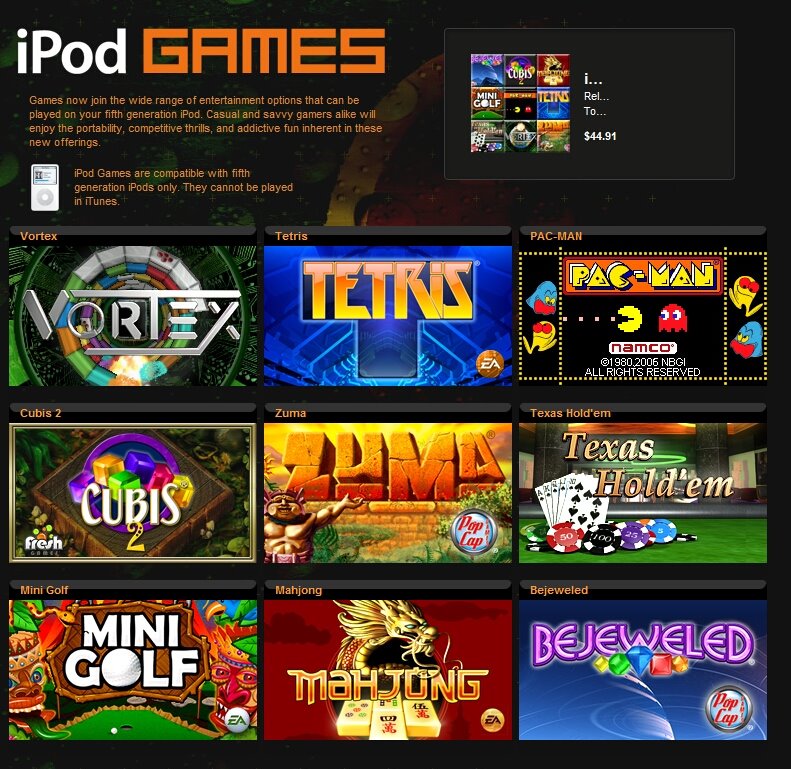
  4. iTunes Version 7, which includes a new and improved "iTunes Store" that now sells iPod movies and games in addition to TV shows and music. At this time, the only movies for sale on iTunes are Disney movies (no doubt Steve Jobs' position on the Disney board had something to do with that!), and the prices range from $9.99 to $14.99, depending on the movie and when it's purchased. The new iTunes also has an iPod backup feature that will burn directly to CD/DVD--a most welcome addition. iTunes V7 also includes support for "gapless" music, which allows some music, such as classical pieces, to play without silence between tracks.
  5. An iPod software update, which no doubt is required primarily for the new iTunes capabilities to work on existing iPods.
  6. An automatic software update application that will keep iTunes and QuickTime up to date, automatically.
  7. iTV, which is a an estimated $299 wireless device that will receive iTunes content and display it on a TV.

Friday, September 08, 2006

Remote Controlled Car Jumps House, Still Runs

This is an amazing video--a guy builds a ramp and jumps his house with a remote controlled car (nitro-powered, I think)--and it still runs afterward. Man, I need one--think of the fun I could have....

RC Car Jumps House

Wednesday, September 06, 2006


EZ Jigger - Great fishing gadget

I just saw this on 9News--a local inventor (Littleton, Colorado) has created the EZ Jigger, which is a combination rod holder and automated jigging device that retails for about $50. The product is battery powered and comes with different cams that create different jigging actions, which is desirable depending on the type of fish you're going after.

The EZ Jigger also has an alarm that sounds when a fish is on the line, and it was designed by fishermen who also happen to be local aerospace engineers. Looks like this make it on to this year's Christmas wish list!

Sunday, September 03, 2006

Easy Fix for iPod Screen Scratches

I first read about this on THE TENSION blog, and thought I'd give it a try...and it works pretty darn well.

The idea is that you use an off-the-shelf CD/DVD scratch repair kit (the one I used was a Memorex CD Scratch Repair Kit that I bought at Office Depot for $10), and basically just follow the directions (other than you use it on your iPod instead of a CD, of course!). (I noticed that the Memorex web site now mentions that the CD scratch kit is also effective on PDAs, etc.)

The entire three-step process (clean, polish, finish) took about 15 minutes, and while it didn't restore my iPod to its original "out of the box" condition, it did remove about 95% of the scratches. I suppose I could repeat the process again, I'm pretty satisfied with the results as-is. It's important to note that my iPod is nearly always in its case--it was actually the process of inserting and removing the iPod from the case that created the scratches, which were all abrasion-type "blurring" of the display (vs. actual deep scratches in the plastic).

I would whole heartedly recommend this process to anyone that wants to improve their iPod display. For the record, I have a 30GB iPod Video.

Friday, September 01, 2006

New Skype Phone Doesn't Need PC or Wi-Fi

Skype has partnered with Philips to create a cordless phone that takes my Vtech USB 7100 one step further, removing the requirement for a PC altogether.

The Vtech unit, incidentally, is a cordless phone that has two connections: a standard RJ-11 telephone line, and PC USB. The RJ-11 connection allows it to act like any other cordless telephone, and the USB connection allows it to connect to a Skype-enabled PC, which allows the user to place and receive calls via Skype. The problem, of course, is that it requires a PC to be running if you want to use the Skype features of the phone.

The new Philips phone removes the PC requirement, substituting the USB connection for an RJ-45 (wired Ethernet) connection. This intimates that the phone has a full Skype client embedded within, which is a great idea. The phone, which is supposed to be in the $150 range and will be available by the 2006 holiday season, is only one of many similar phones that are likely to hit the market in the next year or so.

While this phone is interesting, I still really like the idea of a self-contained Skype phone that will work over WiFi--particularly if it has an embedded Web browser and WPA client that would allow you to use it at virtually any hot spot--even those that require authentication. There are phones like this in development, such as the Netgear Skype WiFi phone, but they're going to be spendy ($300+), putting them out of range of most folks for a while yet.

The other issue I have with the current crop of Skype phones is that they only work with Skype--for that kind of money, it would be really good if they worked with competitive services like Yahoo, or even commercial VOIP systems like Vonage.

Wednesday, August 16, 2006

Pyrrha: Pandora to Portable Podcast

Now this is a great idea: take a Pandora music stream and turn it into a portable "podcast" (actually, just a single MP3 file) that can be used by any portable music player. Pyrcast has created a free utility that does just that, called Pyrrha, which was Pandora's daughter (clever!).

Pyrrha allows you to choose which Pandora station you'd like to convert into a Podcast, and the makers stress that the program is not intended to infringe on any copyrights.

Pyrrha is available at http://www.pyrcast.com/.

Monday, August 07, 2006

Palm Pilot Robot Kit

This page describes how to convert that old Palm III into a cool little robot--perfect for those old units that are gathering dust in the drawer. You can build it from scratch or buy a pre-made kit; there are also some cool add-ons like a digital compass that are available. Now if I only had the time..... :-)